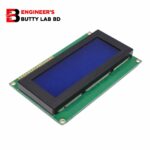
I2C LCD Adapter Module
Specifications:
- 5V power supply.
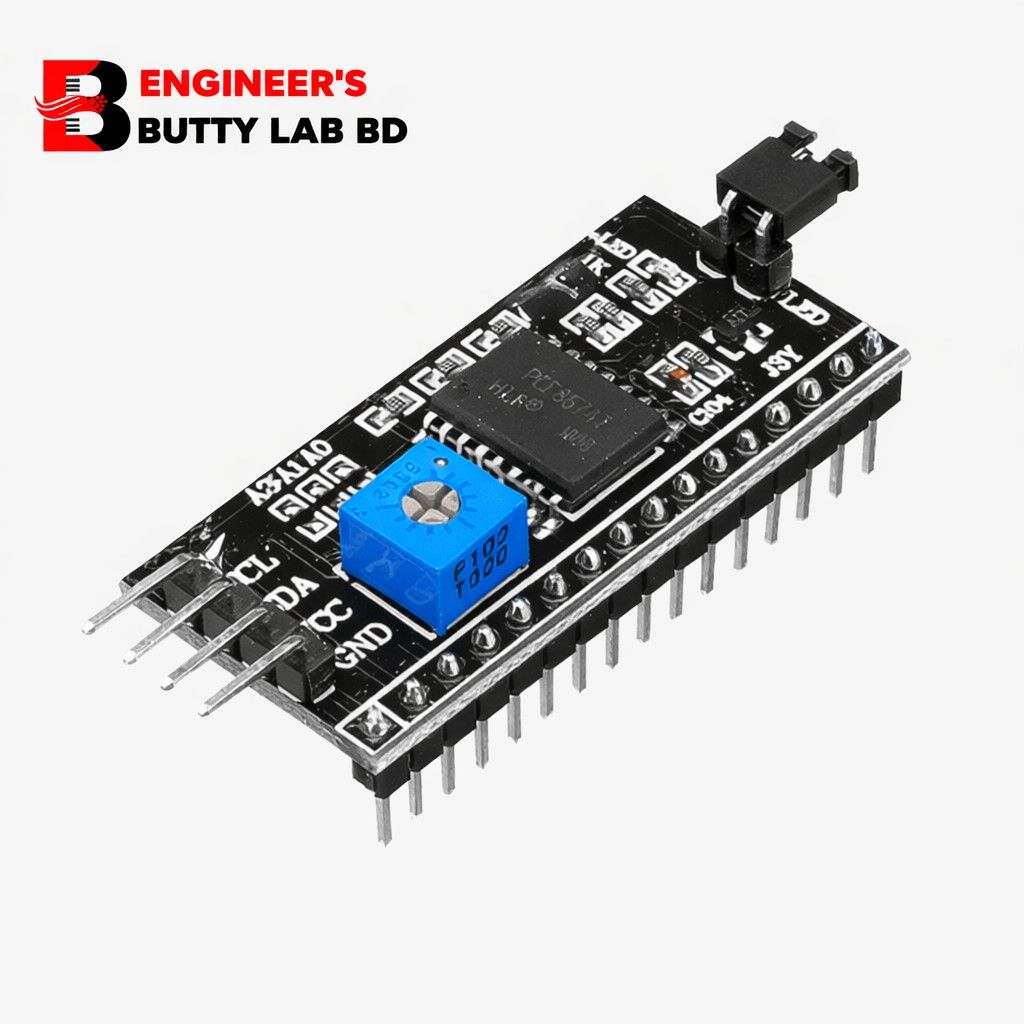
- Serial I2C control of LCD display using PCF8574. RoboticsBD
- Backlight can be enabled or disabled via a jumper on the board.
- Contrast control via a potentiometer.
- Can have 8 modules on a single I2C bus (change address via solder jumpers)address, allowing.
105৳ Original price was: 105৳ .90৳ Current price is: 90৳ .
14 in stock
14 in stock
Payment Methods:
Description
🔌 I2C LCD Adapter Module – Full Description
📌 What is an I2C LCD Adapter Module?
The I2C LCD Adapter Module (also called LCD Backpack) is a small interface board that converts a standard 16-pin parallel LCD (like 16×2 or 20×4) into an I2C-based display.
Instead of using 6–10 digital pins, it allows communication using only 2 data lines:
-
SDA (Data)
-
SCL (Clock)
This greatly simplifies wiring and saves microcontroller pins.
🧠 Main Function
It acts as a bridge between:
-
🔹 Microcontroller (Arduino, ESP32, Raspberry Pi, etc.)
-
🔹 Standard HD44780 compatible LCD
Using I2C communication protocol.
⚙️ Main Components on the Module
1️⃣ PCF8574 I/O Expander IC
-
Converts I2C signals into parallel data
-
Most commonly used chip: PCF8574 / PCF8574T
-
8-bit I/O port expander
2️⃣ Contrast Adjustment Potentiometer
-
Blue variable resistor (usually 10K)
-
Used to adjust LCD contrast manually
3️⃣ I2C Address Jumpers (A0, A1, A2)
-
Used to change I2C address
-
Default address usually:
-
0x27
-
Sometimes 0x3F
-
You can connect multiple LCDs by changing address.
4️⃣ 16-Pin LCD Connector
-
Directly mounts behind 16×2 or 20×4 LCD
5️⃣ 4-Pin I2C Interface
| Pin | Function |
|---|---|
| GND | Ground |
| VCC | +5V |
| SDA | Serial Data |
| SCL | Serial Clock |
🔋 Electrical Specifications
-
Operating Voltage: 5V DC
-
Logic Level: 5V TTL
-
Communication Protocol: I2C
-
Data Speed: Up to 100kHz (standard I2C)
📏 Physical Specifications
-
Compact PCB board
-
Black or blue PCB
-
Lightweight and small form factor
-
Male header pins for easy connection
🧑💻 Compatible Devices
✅ Arduino UNO / Nano / Mega
✅ ESP8266
✅ ESP32
✅ Raspberry Pi
✅ STM32
✅ PIC Microcontroller
✅ AVR
✅ ARM
🔄 Why Use I2C Adapter?
Without I2C:
-
LCD requires 6–10 digital pins
With I2C:
-
Only 2 pins required
-
Cleaner wiring
-
Easier code
-
Saves microcontroller resources
🛠 Working Principle
-
Microcontroller sends data via I2C (SDA & SCL).
-
PCF8574 receives data.
-
PCF8574 converts serial data into parallel signals.
-
LCD receives data and displays characters.
🧾 Advantages
✔ Reduces wiring
✔ Saves I/O pins
✔ Easy to use
✔ Compact size
✔ Ideal for beginners
✔ Clean project layout
📦 Common Applications
-
Arduino Projects
-
Robotics
-
Smart Home Systems
-
IoT Devices
-
Industrial Display Panels
-
Temperature Monitoring Systems
-
Digital Clocks
-
Embedded Systems
🆚 Comparison: Normal LCD vs I2C LCD
| Feature | Normal LCD | I2C LCD |
|---|---|---|
| Pins Required | 6–10 | 2 |
| Wiring | Complex | Simple |
| PCB Size | Larger | Compact |
| Ease of Use | Medium | Easy |
📌 Typical I2C Address
-
Default: 0x27
-
Alternative: 0x3F
(You can confirm using I2C scanner code.)
🧑💻 Example Arduino Code
#include <Wire.h>
#include <LiquidCrystal_I2C.h>
LiquidCrystal_I2C lcd(0x27, 16, 2);
void setup() {
lcd.init();
lcd.backlight();
lcd.print("Hello World!");
}
void loop() {
}
Customer Reviews
Related Products
Piezo Element (Connected Wire) 35mm
In stock
20W 5V 5A SMPS Power Supply Module Universal AC Input
In stock
Soldering Iron 60W & Heating Element Coil
In stock
Banana Plug Connector (Black-Red Pair)
In stock
Breadboard Full Size Bare 830 Tie Points
In stock

Reviews
Clear filtersThere are no reviews yet.